Connect Your Digital Workspace: The Ultimate Contextual Linking System
Connect your writing, stickers and maps to your content as well as apps on your iPad or Android tablet.
You can have an iPad digital planner with Apple Pencil links or an Android tablet with stylus links.
While the Polite Fish planners and travel journals are fully linked for easy page navigation, that only scratches the surface of what’s possible. Linking from your content to other pages or resources on your iPad or Android tablet feels like everything is integrated, contributing to a flow experience while you’re writing or reviewing your content.
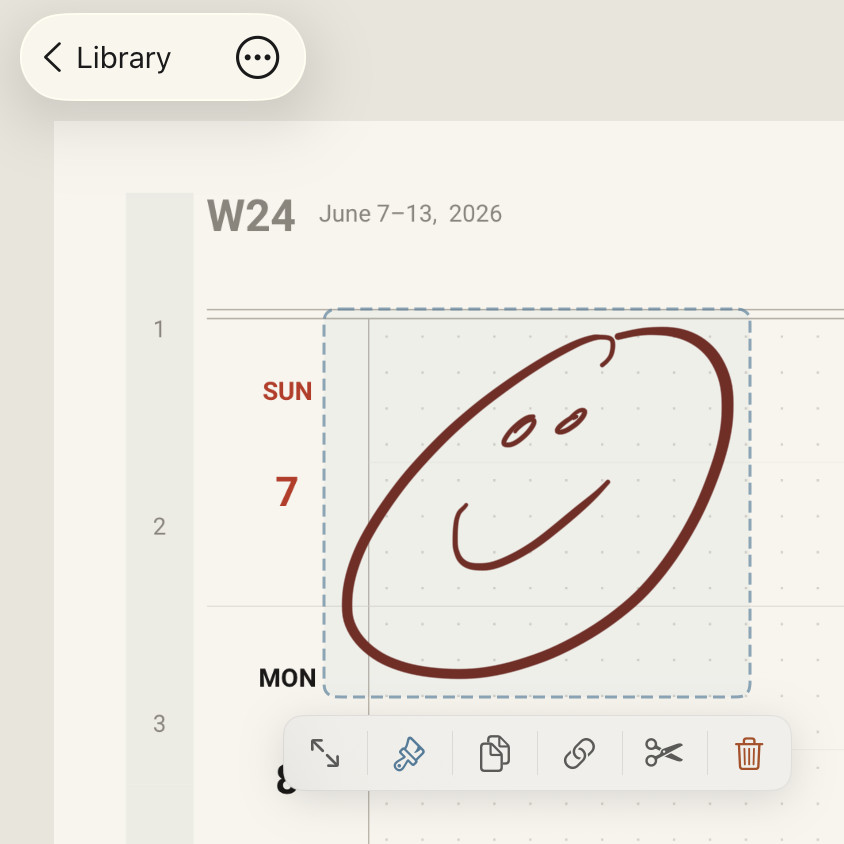
For any writing you’ve done on the page start by selecting the text with the lasso tool (long press stickers and map images).
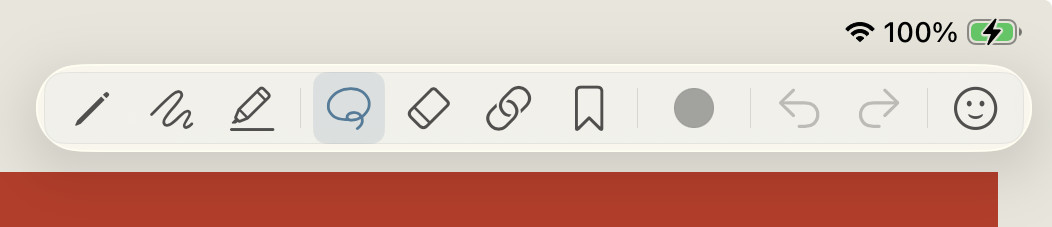
With the marking selected tap the link button on the toolbar.
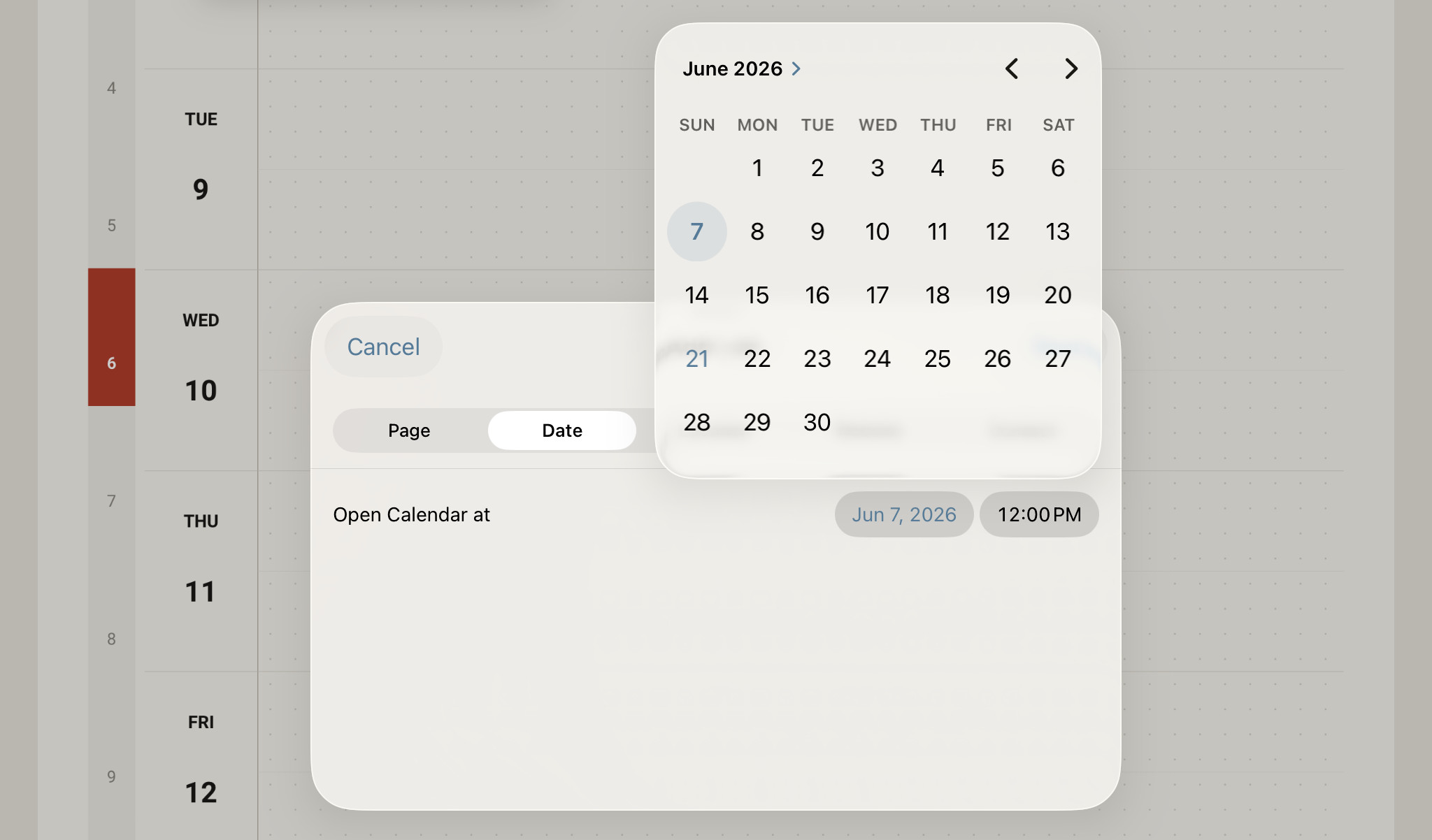
Hyperlink your digital planner or travel journal to the Apple or Google calendar.
Select a date and time to link to in the calendar. Appointments, future plans and important past events are great use cases. After choosing a date and time click the Save button.
By default you’ll see a small icon to the upper left of your writing. This is a visual indication that this marking has a link.
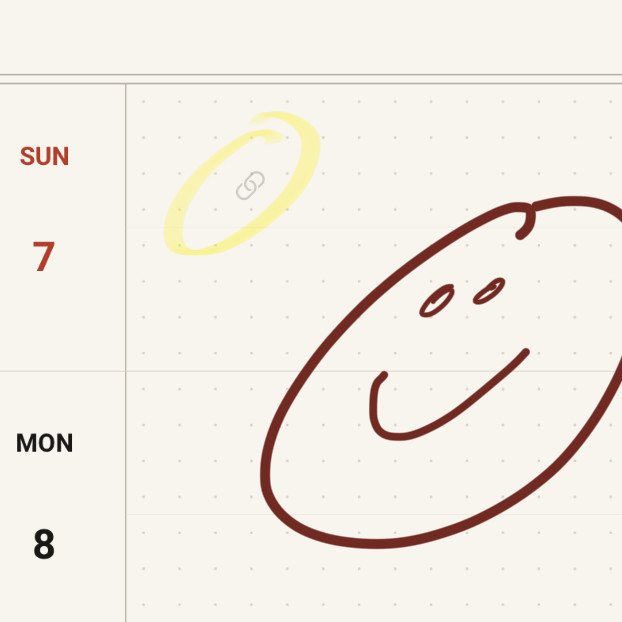
You can toggle the link indicators on and off in the toolbar.
Regardless of whether the link icon is visible or not when you tap your marking the calendar will open at designated date and time. Removing the link is easy. Simply lasso or long press the page element and select the remove link option from the menu.

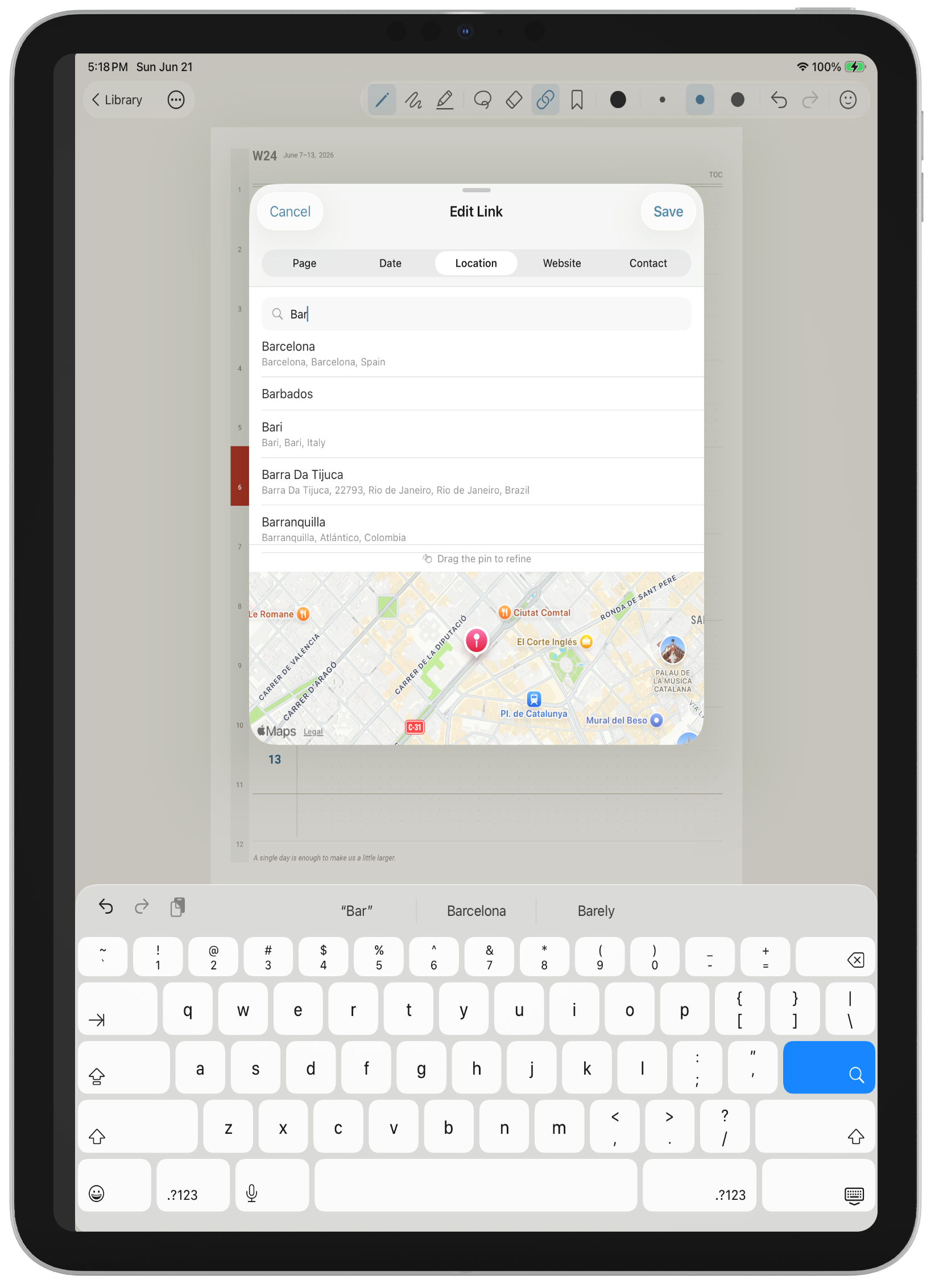
Link your location related text or map images to real maps.
Linking your content to a location is a fun way to make your planner or travel journal more interactive. Sketch a unique shop you've written about and link the sketch to the map location.
Search for the location you’re interested in and move the pin to the exact point you want to link to.
“The wedding venue...”, “Our hotel in Paris...”, “The cafe where we met…”
Whatever the location or occasion, when you write about it link to that exact location on the map. It preserves the natural, creative feeling of paper journaling while adding digital superpowers. Tapping on the text, sticker, or map image will open up Apple maps or Google maps with a pin at the location you saved.
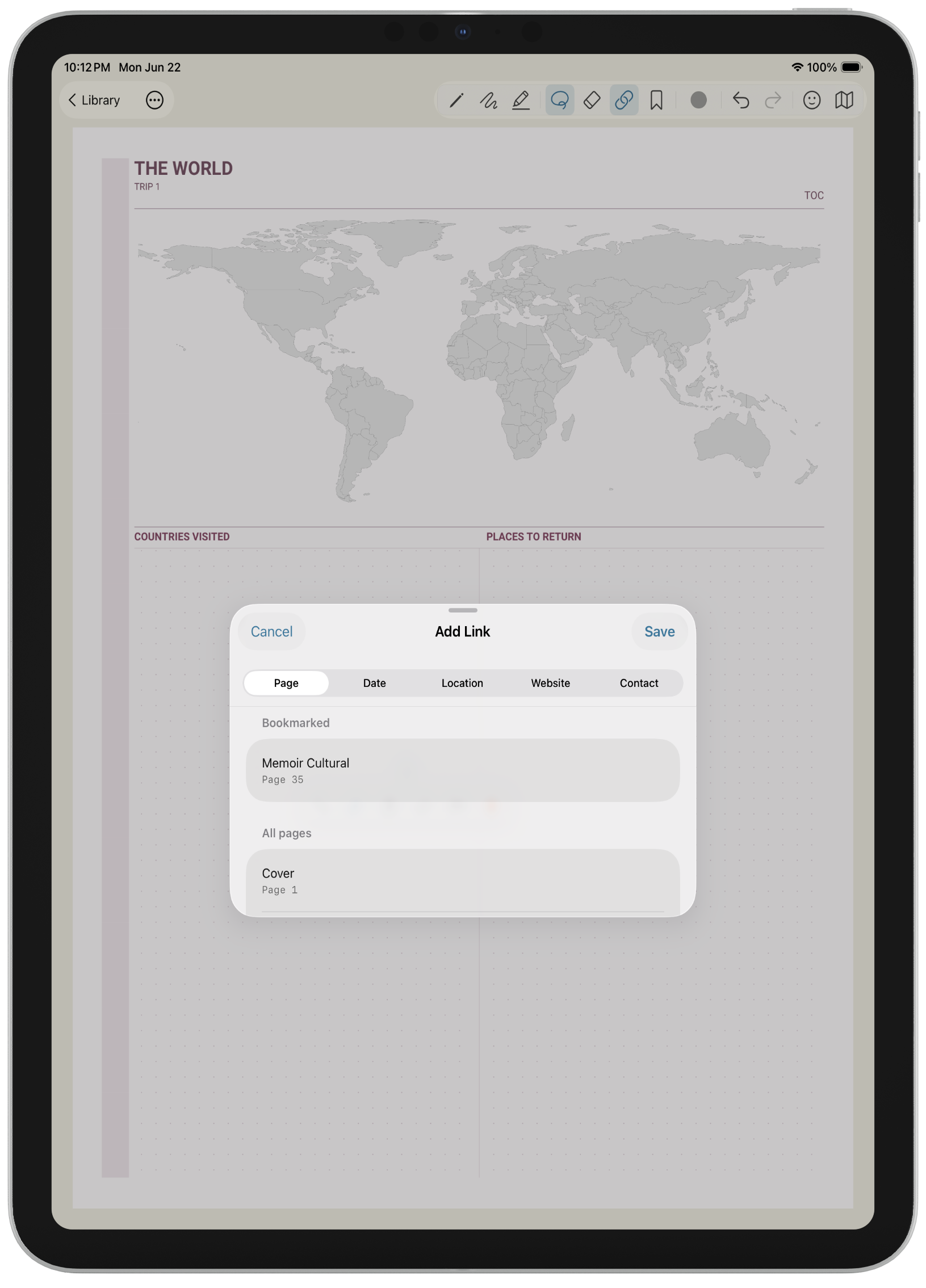
Create links from your writing or stickers to other pages.
A powerful feature of the Polite Fish planners is the ability to create your own page navigation. There can be a lot of pages in a planner so to make it easier bookmark the page you want to link to first. Then lasso your text and select the link icon. From the list of pages, the bookmarked pages will appear at the top. Simply tap on it to select it and click the Save button. Now when you tap your writing the planner will jump to the destination page. This is especially useful if you want to continue your writing on the blank notes pages at the end of the document or if you cloned a page.
Link to websites and contacts
Similar to what you've seen above you can link to:
- Email Addresses
- Websites
- Phone Numbers
- Facetime Contact
![[Descriptive alt text for step 2 screenshot]](../assets/gallery/link-to-contacts.png)