The Only Budget That Lives With Your Calendar.
Finally — your money and your months in the same place.
Budgeting apps are great — until you want to see how your grocery overspend connects to the week you forgot to meal plan. The Polite Fish Finance Planner brings your financial tracking into the same pages as your daily life, so the picture is always complete.
This isn't a basic budget tracker. It's a comprehensive personal finance system: monthly income and expense budgets, named sinking funds with 12-month progress circles, a debt payoff tracker, bill due dates, and a net worth log that shows your progress across the year. Open the Design Studio, choose the Finance preset, configure your category names and color, and your planner generates in seconds — portrait or landscape, built for your financial goals.
A complete financial picture, every month
Most planners offer a budget page. This one offers a full financial system.
Monthly Budget Spreads
Income, fixed expenses, variable spending, and a running balance — laid out cleanly for every month of the year. Know exactly where you stand on any given day.
Named Sinking Funds
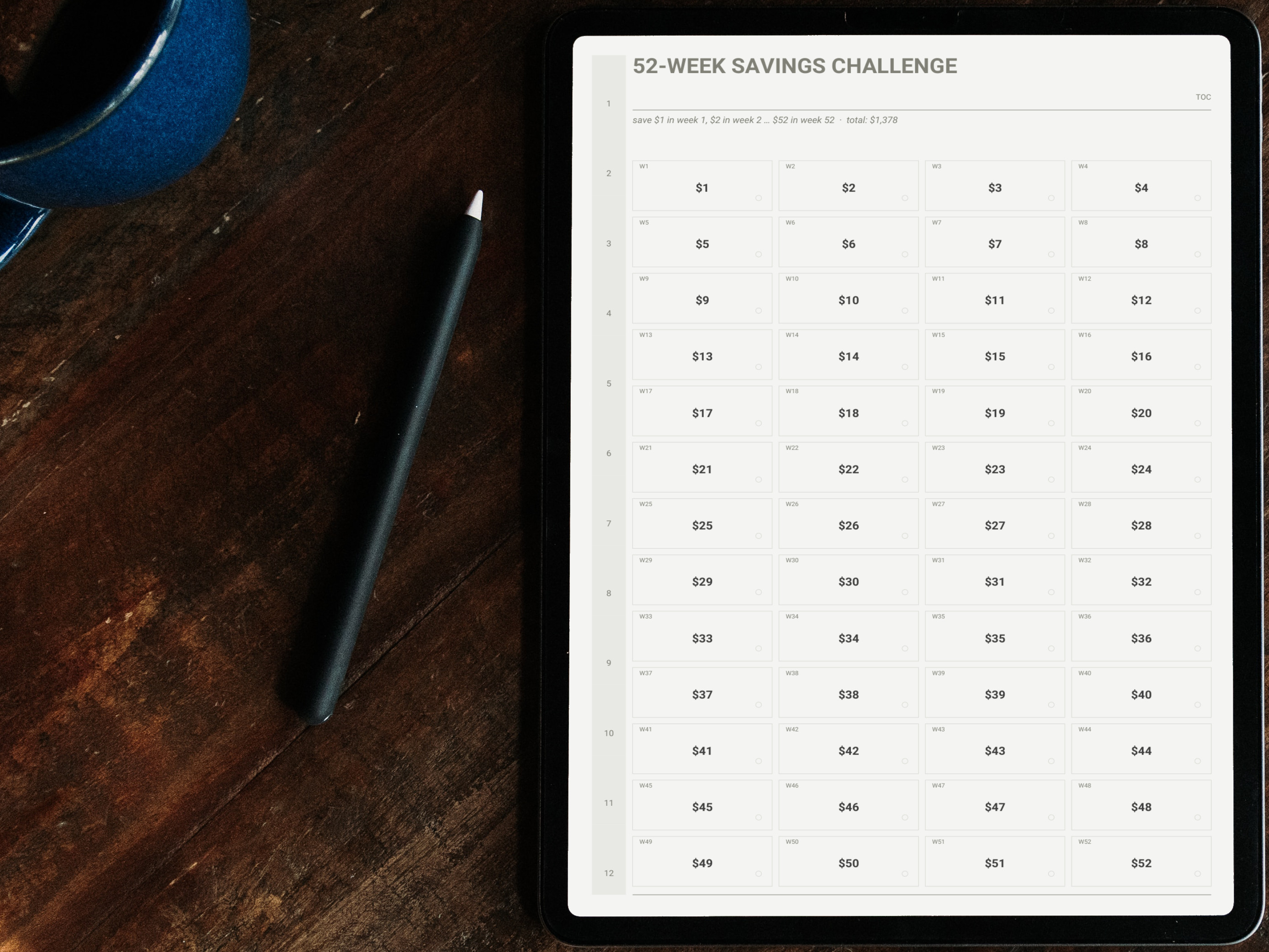
Car repairs, vacation, emergency fund, new laptop — name your funds and track them with 12 progress circles each. Watch your goals fill in month by month.
Debt Payoff Tracker
List every debt, set a target payoff date, and track your progress with a visual balance-over-time chart. Snowball or avalanche — this works for both.
Bill Tracker & Net Worth Log
Every recurring bill in one view with due dates and paid checkboxes. Plus a running net worth log to see how the full picture shifts over time.
Every page has a purpose
Clean, structured layouts that make financial tracking feel less like a chore and more like a practice.
Everything included
A complete financial tracking system inside a beautifully designed daily planner.
All of these pages are available in the Finance preset in the Polite Fish Planner app. Mix them with pages from other presets in the Design Studio.
Yearly Overview
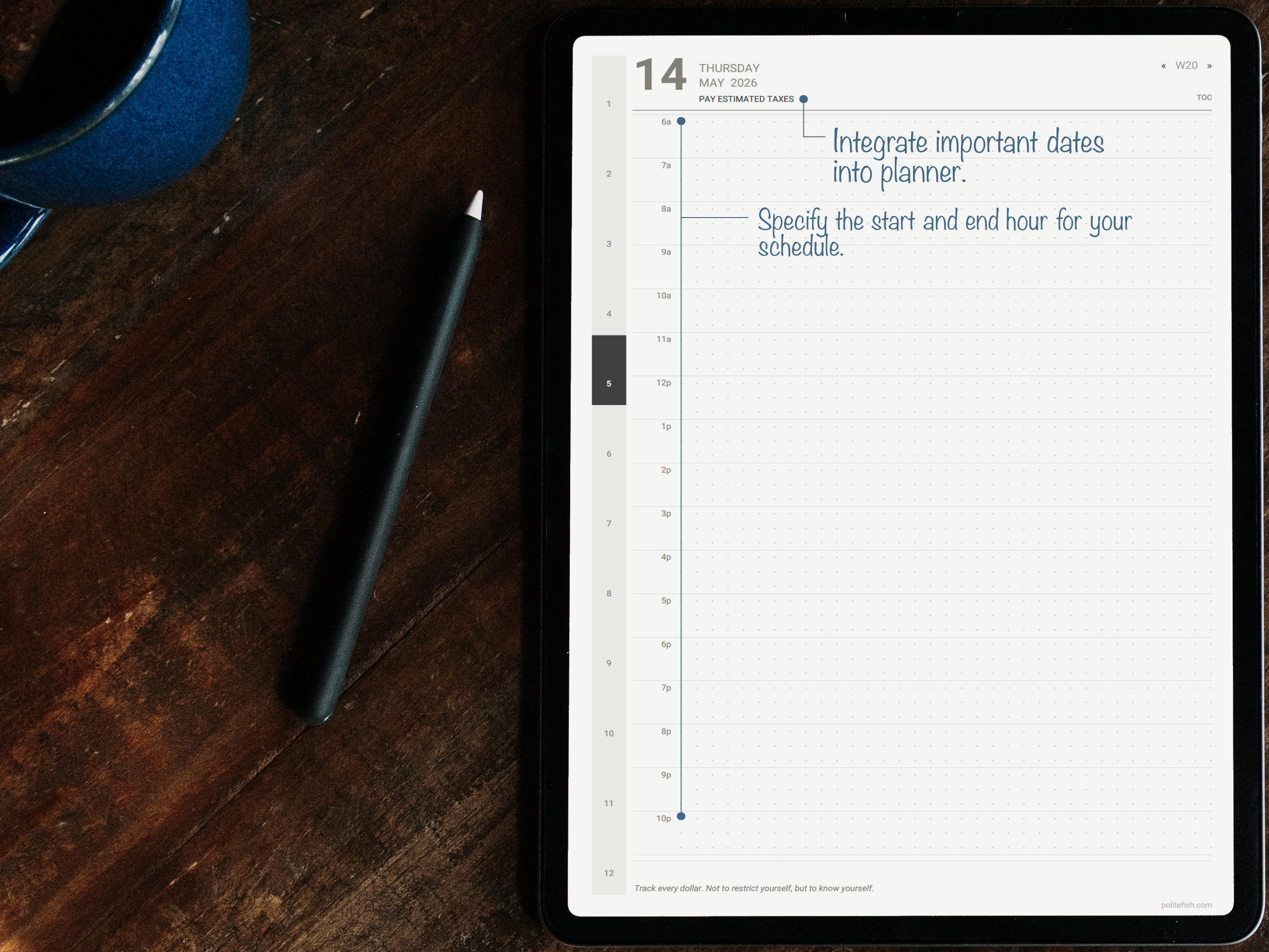
Mark income milestones, big expenses, and financial goals across the full year before you dive into the months.
Monthly Budget Spreads × 12
Income vs. expenses laid out by category — yours to name — with a running balance and end-of-month summary.
Monthly Calendar + Weekly Spreads
Your financial pages live alongside your regular planning so context is always visible.
Bill Tracker
Every recurring bill with due date, amount, and a paid checkbox. Never miss a due date or a payment.
Sinking Funds
Named savings goals with 12 monthly progress circles each. Fill them in as you save — visual motivation that works.
Debt Payoff Tracker
List your debts, set a target date, and track the balance going down month by month. Snowball, avalanche, or your own method.
Net Worth Log
Assets minus liabilities, tracked monthly. The most important financial metric — finally visible in your planner.
Habit Tracker
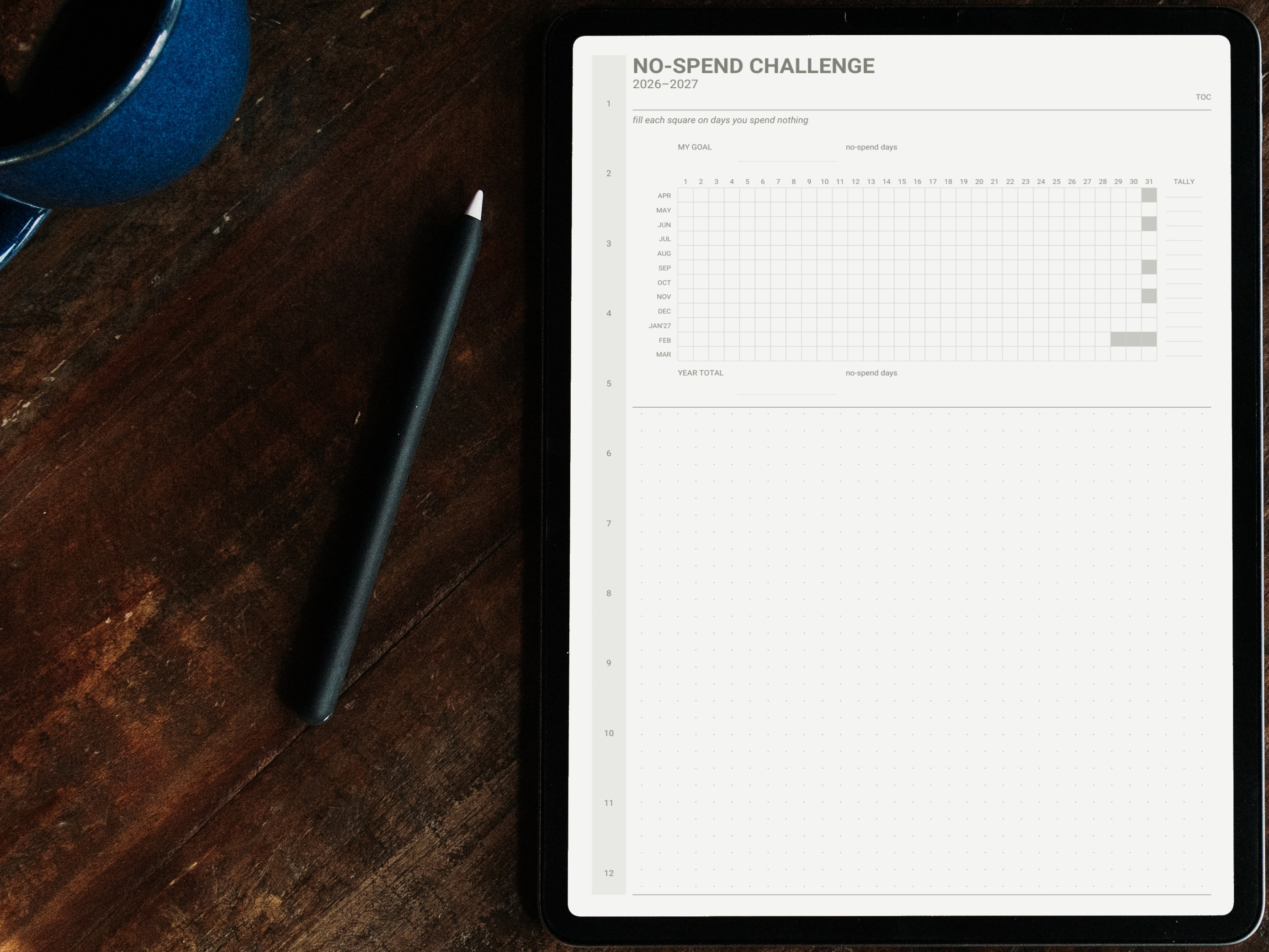
Track financial habits alongside everything else: no-spend days, savings transfers, budget review, investment contributions.
Notes Section
Dot-grid notes pages for financial calculations, research, or anything that needs more room than a margin.
Your categories. Your fund names. Your palette.
Choose portrait or landscape, pick your color (hex-precise), set your start date, and configure your habit names in the Design Studio. Preview updates in real time as you adjust each setting.
18 Color Palettes
Choose the palette that makes you want to open your planner and actually track your spending.
Your Category & Fund Names
Specify categories and labels — from budget categories to your sinking fund goals.
Include Only What You Use
Not carrying debt? Skip the payoff tracker. No sinking funds? Remove them. Zero page waste.
Hyperlinked Navigation
Jump from your yearly overview to any monthly budget in a single tap. No scrolling required.
Your planner in three steps
From download to writing in minutes.
Get the app
Download the Polite Fish Planner for iPad. Free to start — no account required.
Open the Studio & choose the Finance preset
Select the Finance preset as your starting point. Pick your color, set portrait or landscape, and configure your pages. Preview builds in seconds.
Generate and start writing
Your planner is ready in seconds. Write with Apple Pencil, add stickers, place maps, and build links between pages — no second app needed.