Design your planner. Then enjoy it.
Tired of searching for a digital planner that doesn't have everything you want? Once you get it you have to import it into a separate app, at an additional cost to actually use it. The Polite Fish Planner lets you design exactly the planner you want — in portrait or landscape orientation. The colors, the pages, labels, the categories can all be personalized so you get exactly the planner that suits you. When you're done with the design it generates in a few seconds. Then write, draw, and journal right inside the app with Apple Pencil.
Free to start — no account required.
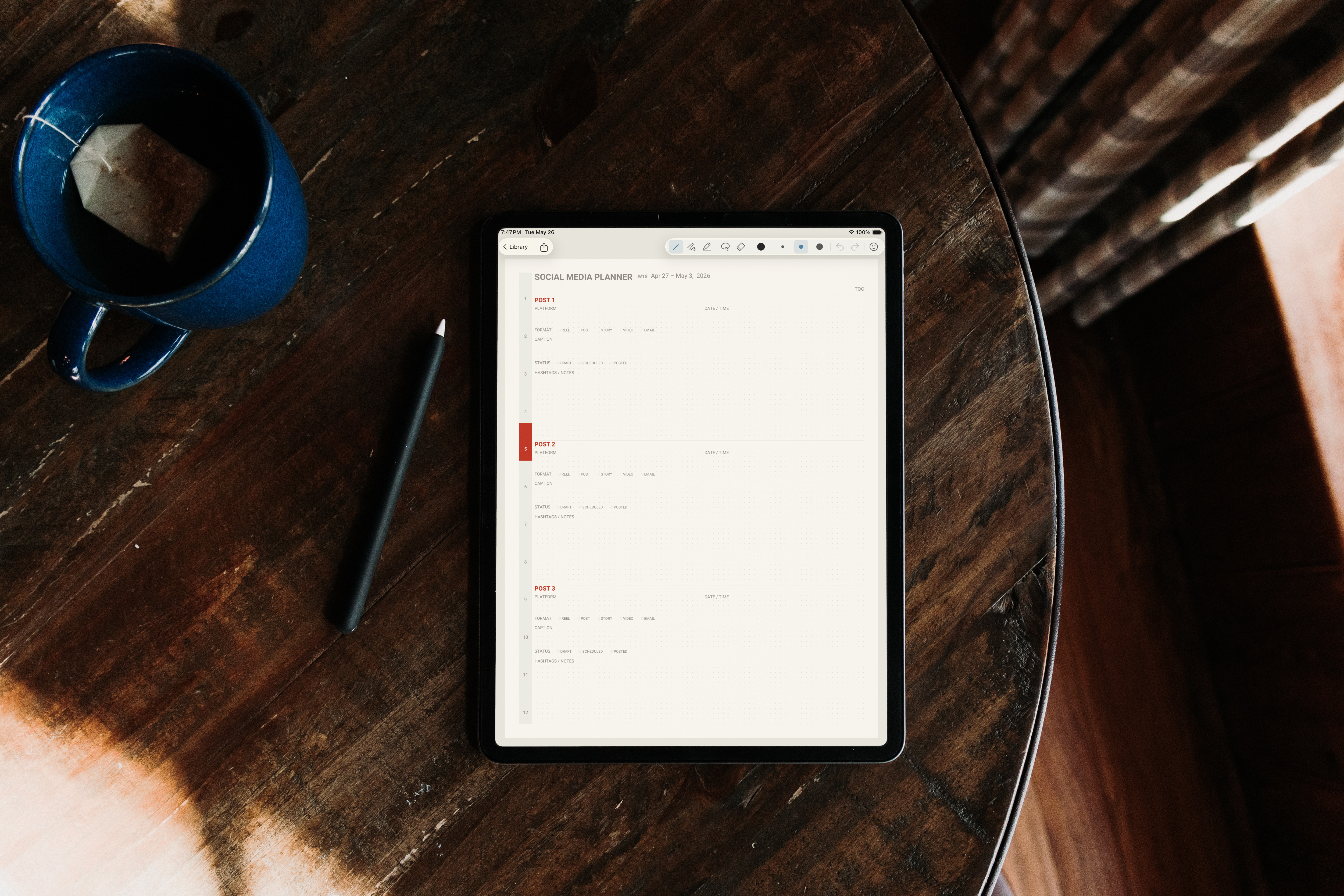
Two creative activities in one place.
No template hunting. No importing. No juggling a store, a designer, and a notes app. You design a planner built only for you — and use it in the very same place.
Design it your way
Any color, your cover text, 1–12 month planners, and the exact pages you want — pulled from every planner style we make.
Built in about a minute
Tap Refresh Preview and watch your planner generate in just a few seconds. No waiting on a delivery email.
Write right in it
Apple Pencil pen, highlighter, eraser, lasso, and stickers — all built in. No separate app, no importing.
Safe and synced
Everything backs up and syncs across your iPad and iPhone through iCloud.
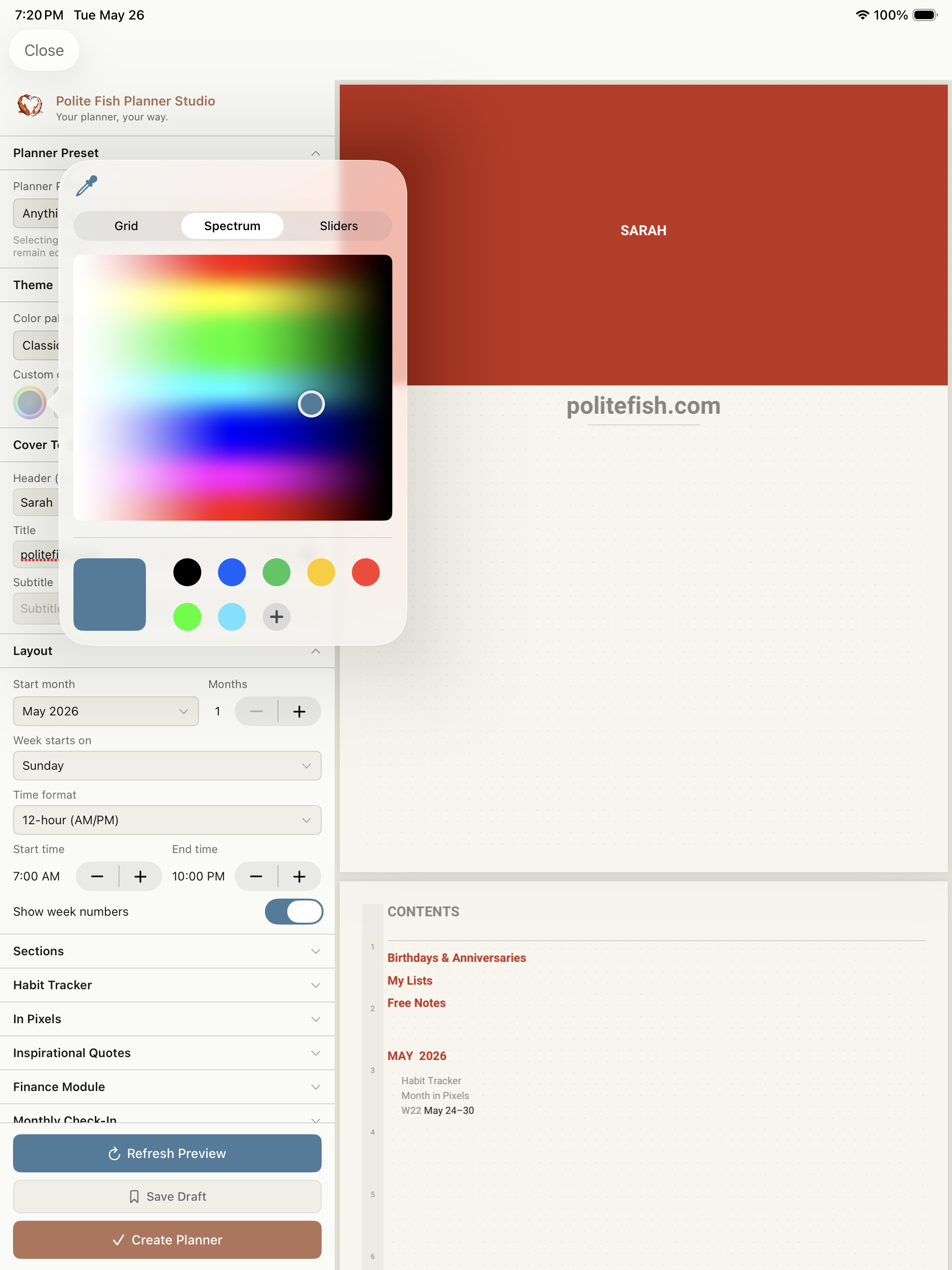
A design studio built into the app
See your planner before you commit to it. Change a setting, tap Refresh Preview, and a real planner is generated for you in seconds.
- Any color you want, or choose from a preset
- Your cover text, start month, and length from 1 to 12 months
- Choose from various page modules — ADHD, finance, content creator, faith, sobriety & recovery, wellness, solopreneur, and more
- A live preview that builds in seconds
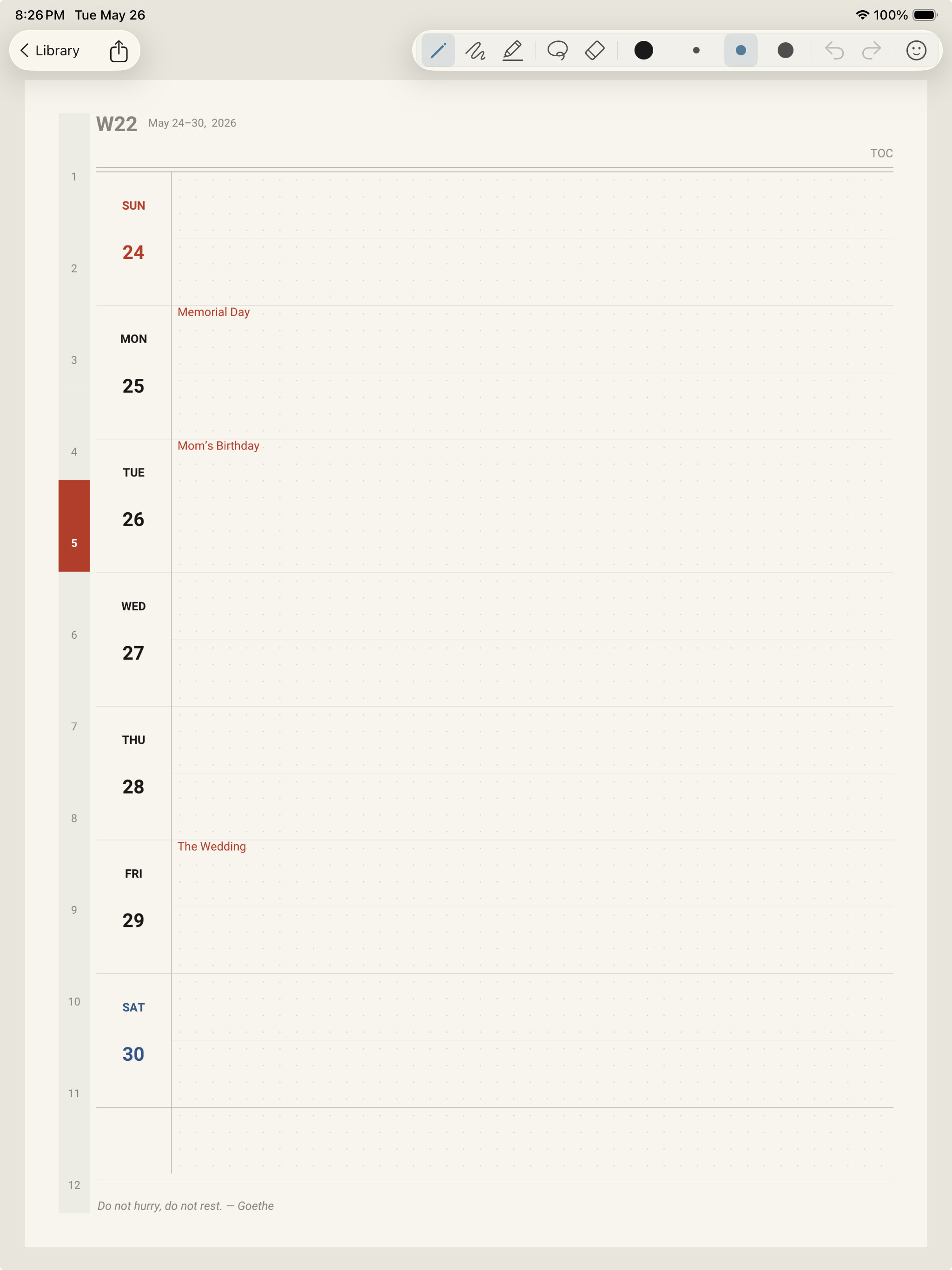
Your dates, already in it
Stop spending the first week setting up. Add the dates that matter and they're built into your planner before you write a thing.
- Birthdays, anniversaries, and milestones embedded into the pages
- Add your own key dates — paydays, bill dates, appointments, special occasions — and they're built right into your planner
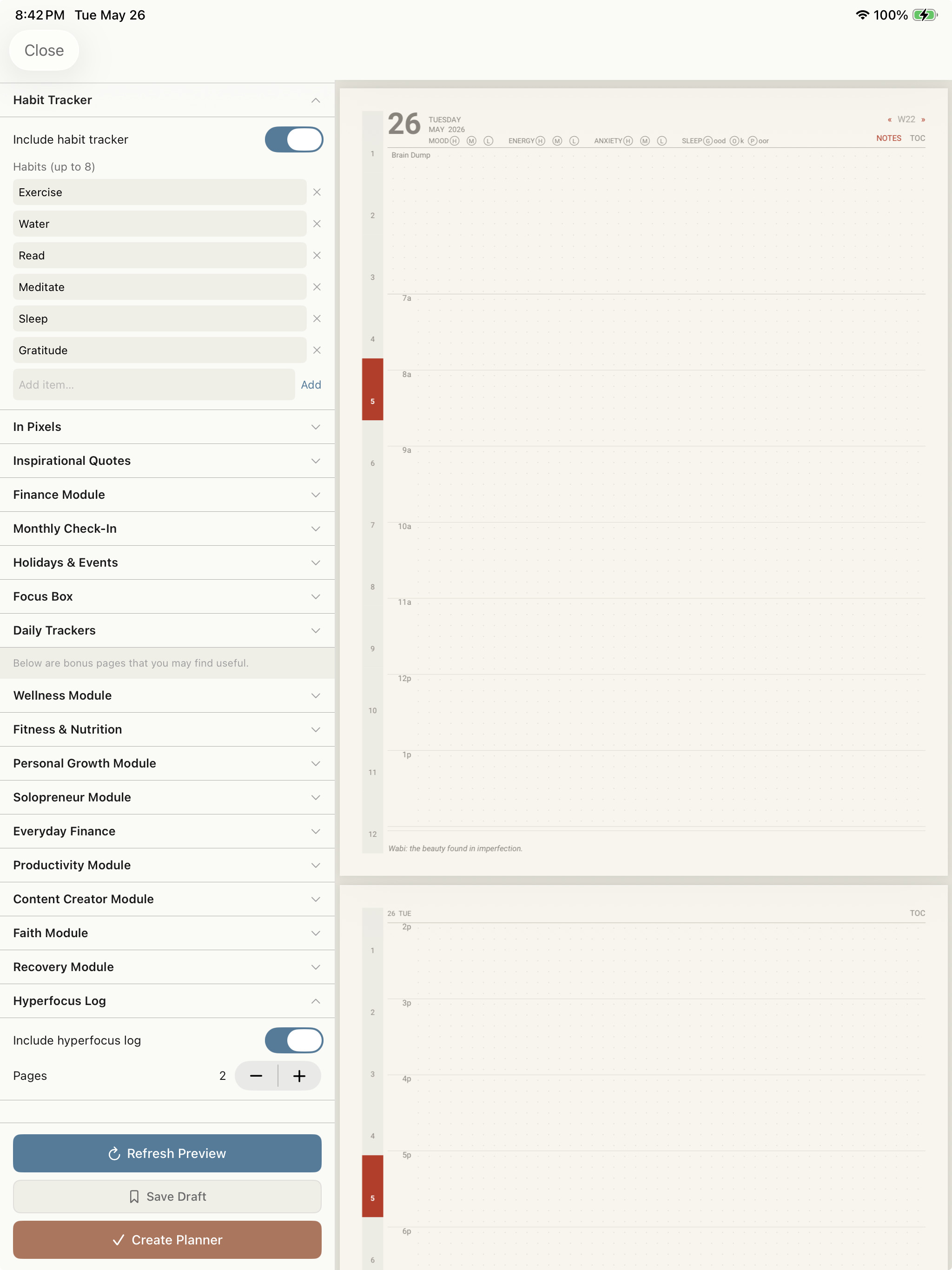
Mix any pages. Set the depth.
Your planner isn't locked to one planner type. Pull pages from any style, leave out the ones you don't want, and decide how deep each section goes.
- Combine pages across needs — ADHD, finance, content creator, faith, sobriety & recovery, fitness, wellness, solopreneur, and more — in one planner
- Exclude pages you won't use
- Adjustable page counts — give the sections you live in more room
Then write on it like paper
Your planner is ready to use the moment it's built — no exporting, no second app.
- Apple Pencil — pen, pencil, highlighter, and eraser
- Lasso to move, recolor, duplicate, cut, or delete your writing
- Stickers — import your own packs, then place, resize, and rotate them
- Export any page as a PDF to share or print (Pro)
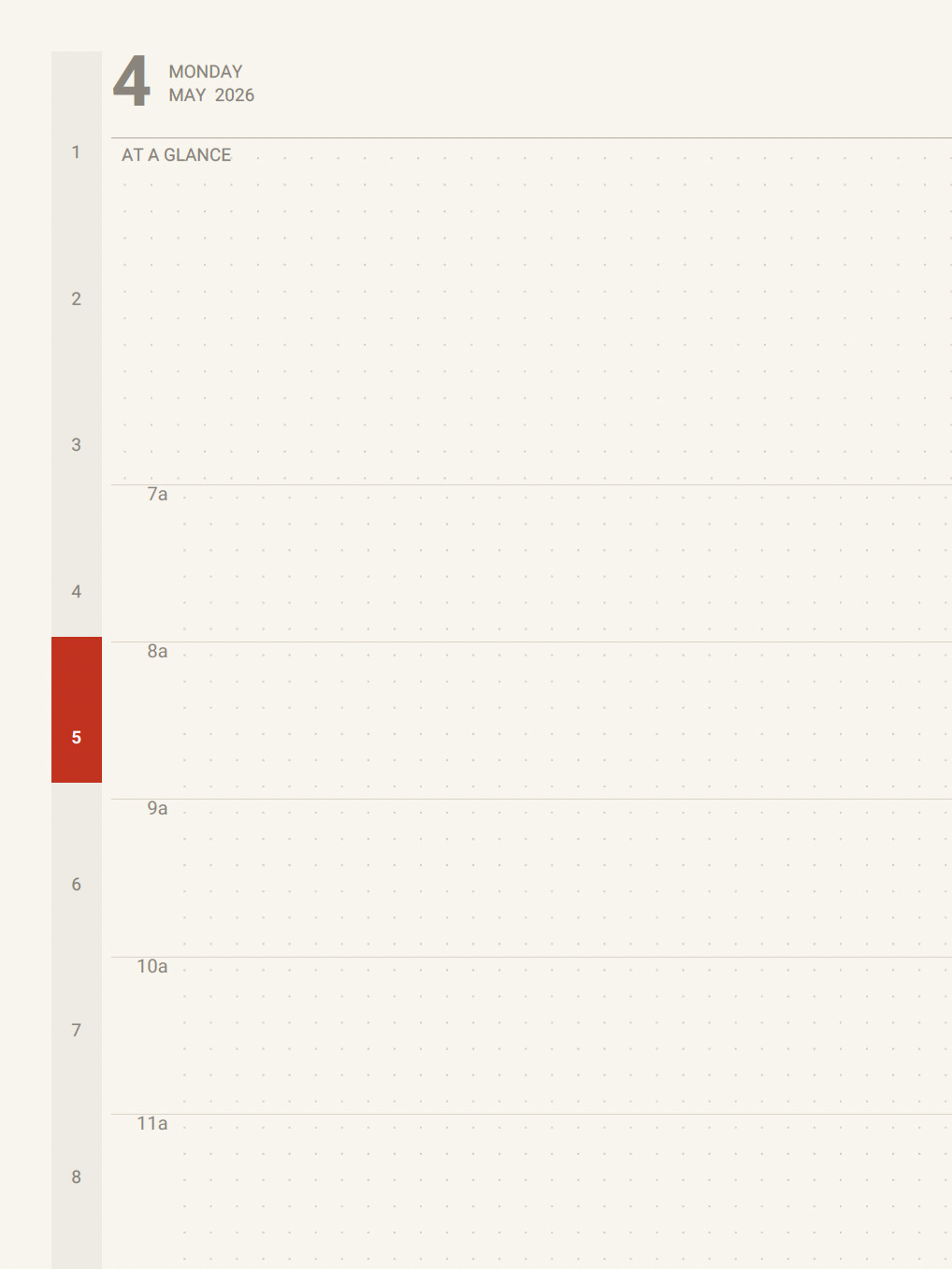
The thin-grid daily layout you'll love
A clean, techo-inspired planner aesthetic — a thin daily grid, time-blocking, and intentional space — generated to your exact specifications.
- Daily layout with time-blocking
- Dot-grid notes and clean lines, never busy
- Rendered in your color throughout
Travel journals, built the same way
Plan a weekend or a year of travel. Each trip gets up to 20 destinations, identified by name, with their own pages.
- Named trips, each with multiple named destinations
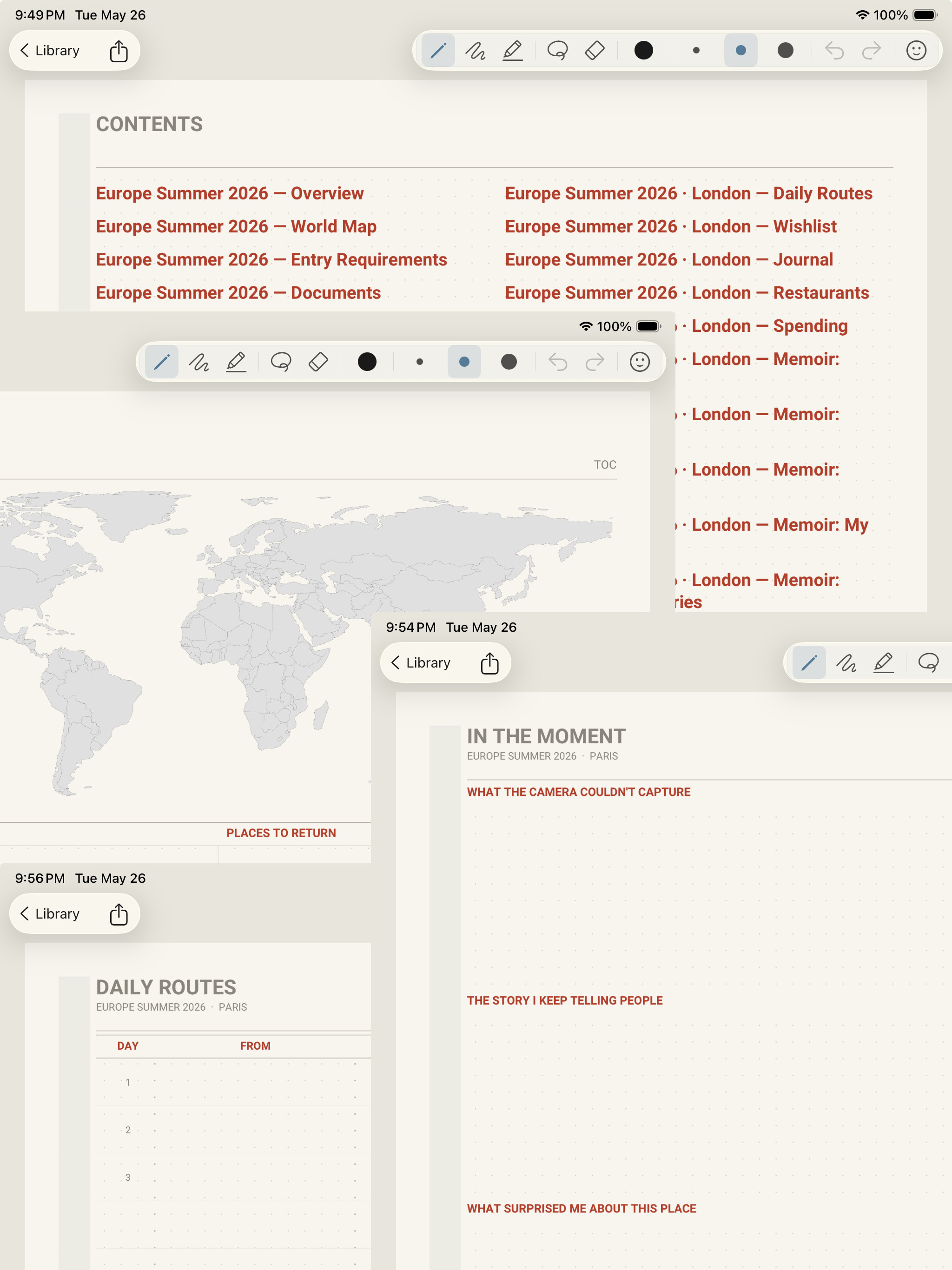
- Per-destination pages — itinerary, accommodation, daily routes, spending, photo pages and more
- A world-map page and a post-trip memoir to document the memories
Three modules. One journey.
The Polite Fish thought a lot about the arc of a trip. Starting with the pre-trip planning to the daily travel journal followed by memories best documented in a memoir or scrapbook. There are thoughtfully designed pages for each experience. You can mix and match pages from each module to create a single document or you can create separate documents to express each part of your travel experience.
Pre-Trip Planner
Itinerary building, packing lists, flight and hotel details, budget planning, restaurant research, and pre-trip to-dos. Everything you need to show up ready.
Daily Travel Journal
Day-by-day writing pages, daily route maps, spending log, and photo pages. Capture the details that are easy to forget — on the day you lived them.
Post-Trip Memoir
Reflection pages, trip highlights, a full-trip narrative, photo pages and decorative maps. The place where the trip becomes a keepsake you'll actually want to look back on.
Real maps, beautifully placed
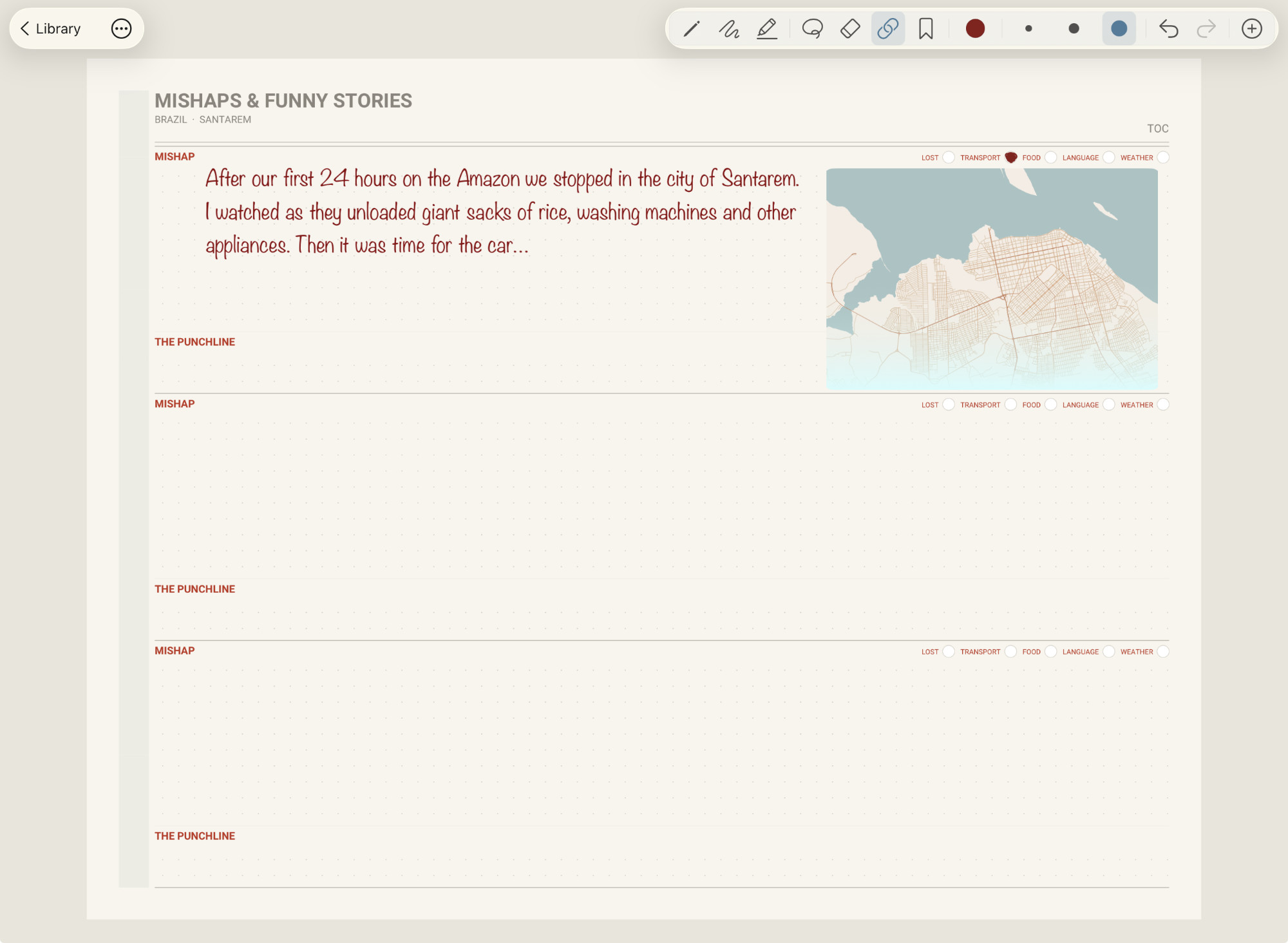
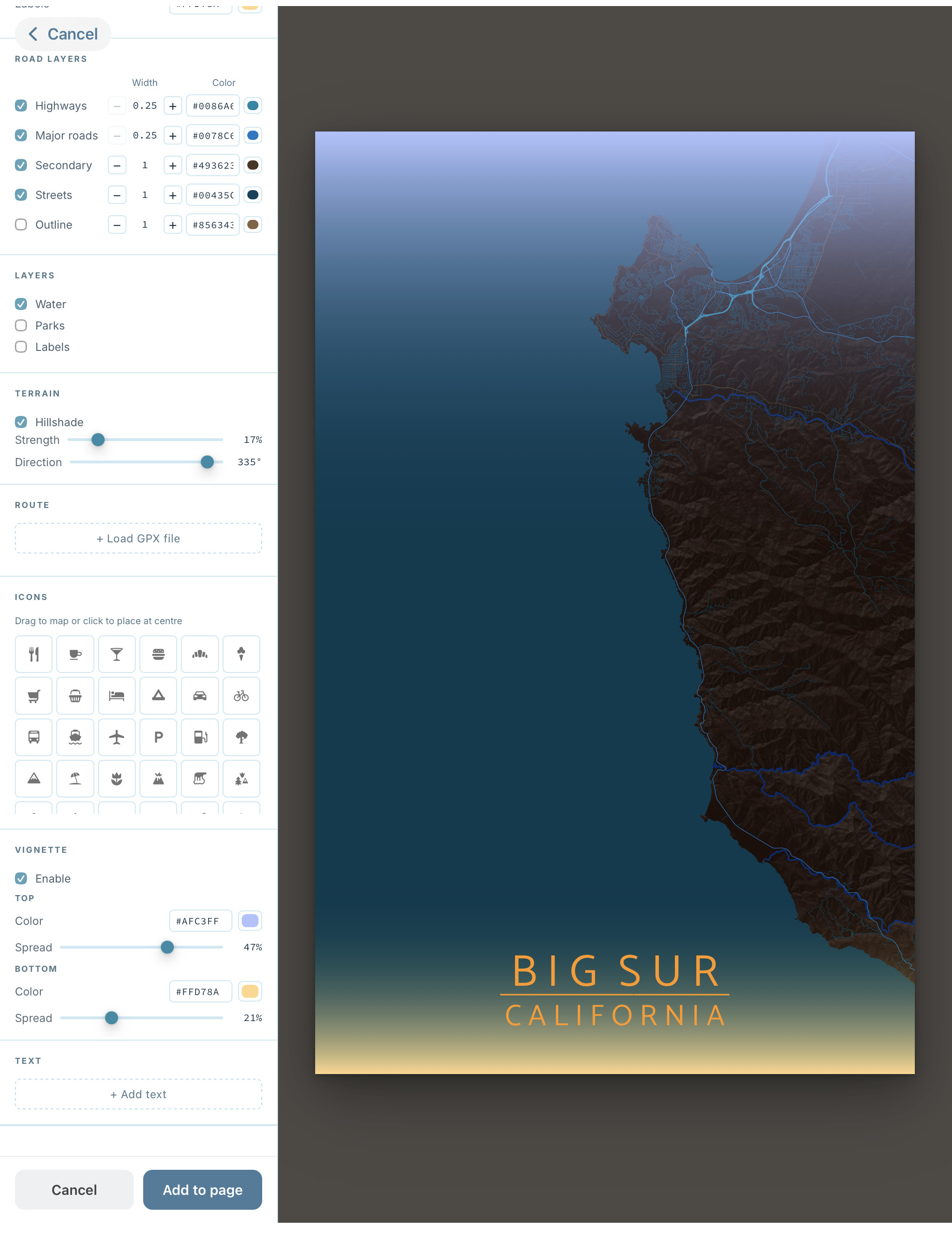
Open the built-in Map Studio, style a map to match your journal — colors, labels, terrain, route — then place it directly on any page as a decorative element. Make your travel journal pop!
- Style map colors, labels, terrain, and optional route
- Place the finished map on any travel journal page
- Resize and reposition like a sticker
- Create a link from the map image to a real location. Tapping the image opens the map app.
- Free: 1 map per journal · Pro: unlimited
Your planner, hyperlinked
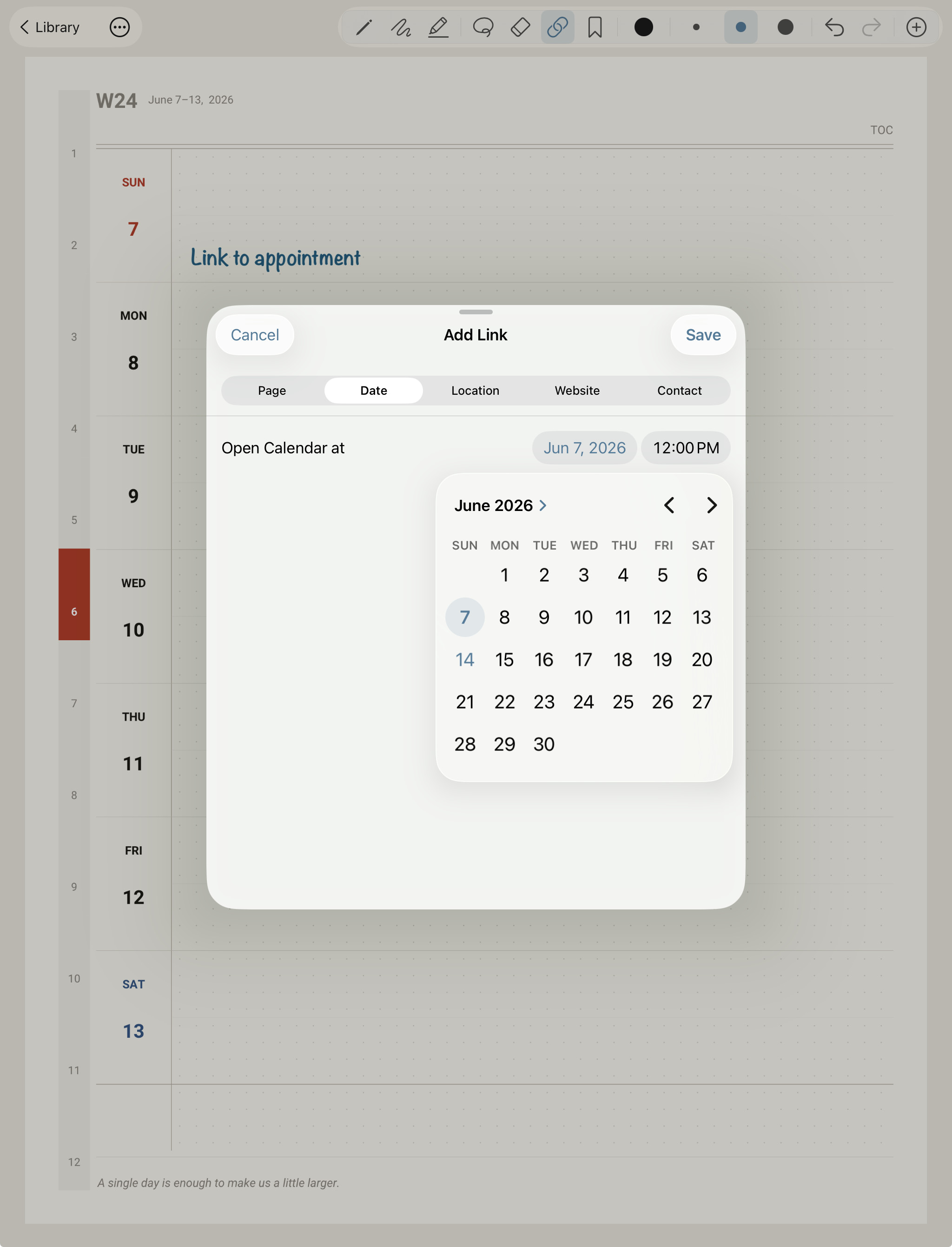
Use the lasso to select any handwriting, a sticker, or a map — then assign it as a link to any other page, the calendar, a location, website and more. Tap the element and the link takes you to the destination.
- Lasso handwriting, stickers, or maps to assign as links
- Add new pages with the clone tool and link to the new pages from your writing, a sticker, or a map image
- Links can point to any page in the same document
- Works in both planners and travel journals
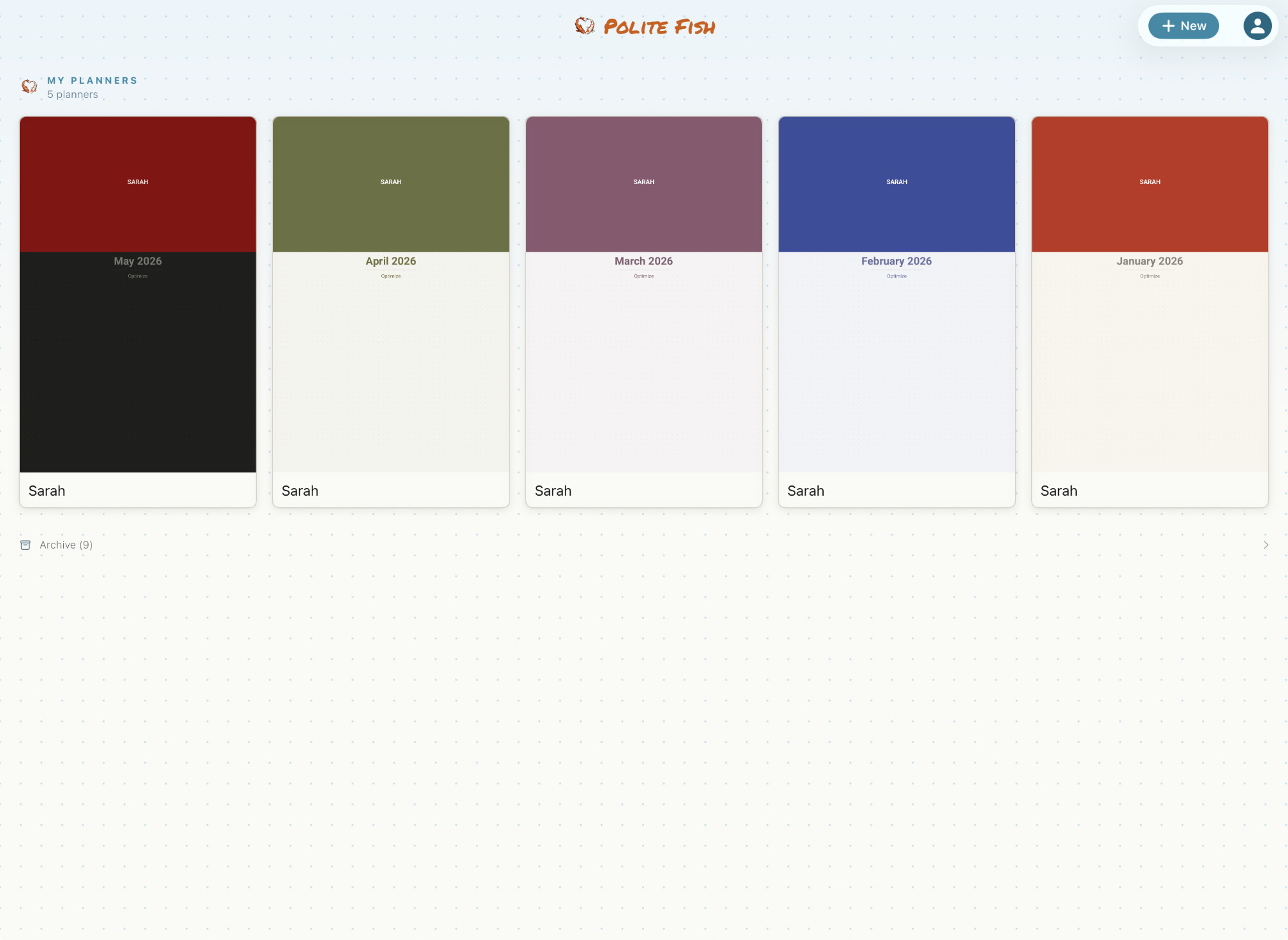
Multiple planners. One place.
Keep a library of planners and journals — one for each year, each project, each trip. Everything lives in one app, synced through iCloud, and opens with a tap.
- Pro: no limit on how many planners or journals you can have
- Everything syncs automatically through iCloud
From idea to writing in it — in minutes
No order to place, no email to wait for. Design it and start using it.
Open the Studio
Pick your color, pages, daily schedule and dates. Defaults are ready if you'd rather keep it simple.
Preview & build
Tap Refresh Preview and watch your planner update in just a few seconds. When your planner or travel journal is as you want it, generate the full document.
Write & sync
Start writing with Apple Pencil. Everything backs up and syncs across your devices through iCloud.
Free to start. Pro when you're ready.
Try the full experience free. Upgrade when you want more.
- One planner
- One travel journal
- One-week planner length
- One travel destination
- 1 map per journal
- PDF page export
- Unlimited planners & travel journals
- Planners from 1 to 12 months
- Travel journals with up to 20 travel destinations
- Unlimited maps
- Export any page as a PDF
Pro is an annual auto-renewable subscription, billed through your Apple ID. Cancel anytime in your App Store settings. Your pages export to PDF — your work is never locked in.