From Scattered Idea to Scheduled Content — in One Place.
Plan every post, track every metric, hit every deadline.
Content creation is a business. Treating it like one requires a system — and a Notes app plus a separate spreadsheet plus three browser tabs is not a system. The Polite Fish Content Creator Planner gives you a monthly content calendar, a weekly post planner with per-platform checkboxes, an audience growth tracker, and daily pages where your content focus lives alongside everything else.
No more scrambling for what to post. No more forgetting which drafts are ready to go. Just a clean, connected planner — built to your platforms, your posting cadence, and your brand colors. Open the Design Studio, choose the Content Creator preset, configure your palette and platforms, and your planner generates in seconds — portrait or landscape, built for how you create.
A system for every stage of the content cycle
From ideation to analytics — every step of your content workflow has a dedicated home.
Monthly Content Calendar
A bird's-eye view of every piece of content scheduled for the month across all your platforms. See gaps, see clusters, plan with intention.
Weekly Post Planner
Platform checkboxes, caption drafting space, hashtag strip, post status (draft / scheduled / live), and link or asset notes — all for each post of the week.
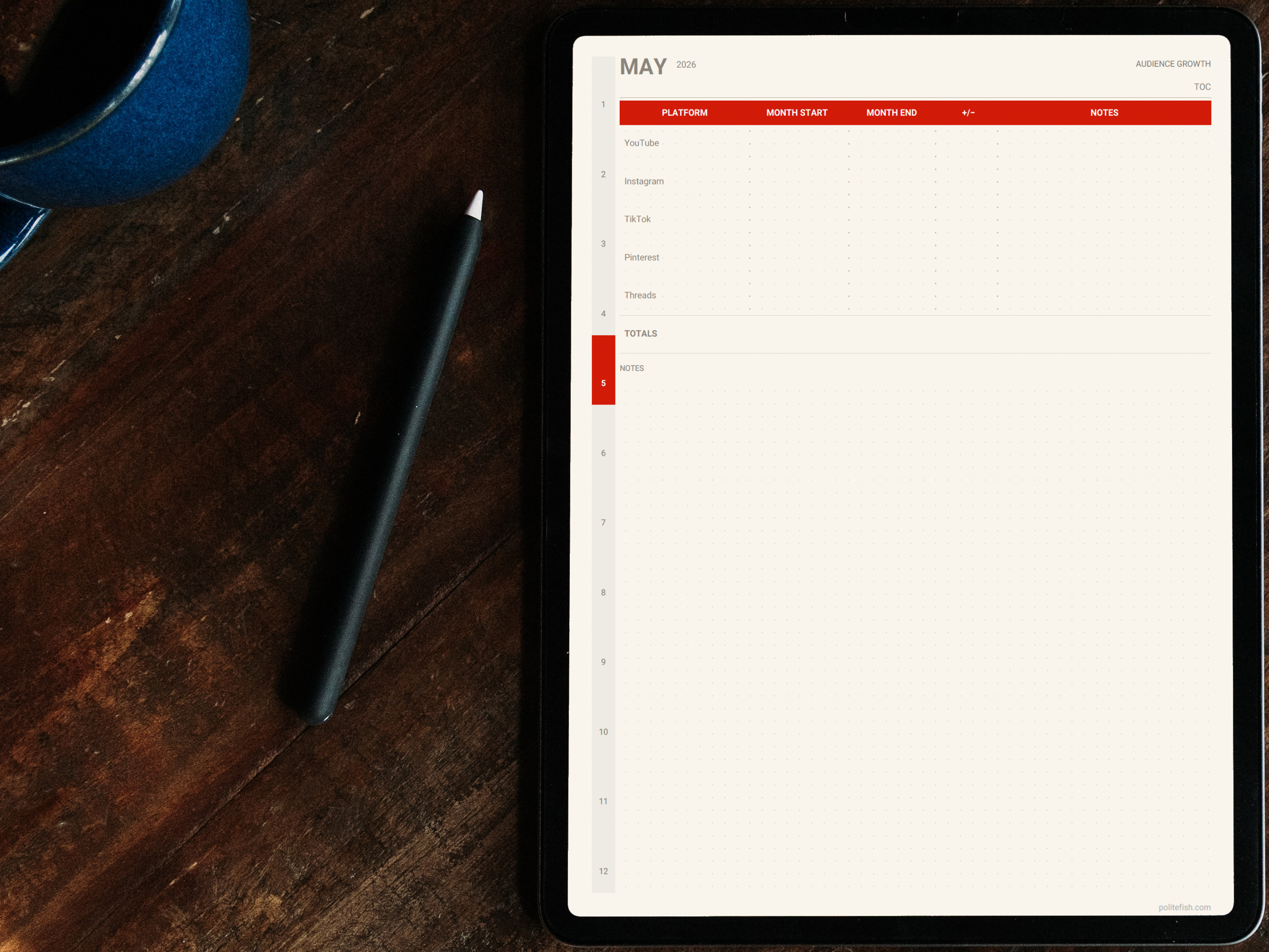
Audience & Growth Tracker
Log follower counts, engagement rates, and video performance monthly. See what content is moving the needle — and what isn't — at a glance.
Content Focus Box
Each daily page opens with a "Content Focus" block — a dedicated space to name your creative intention before your schedule fills in, so every task that day has a direction.
Every page, purpose-built
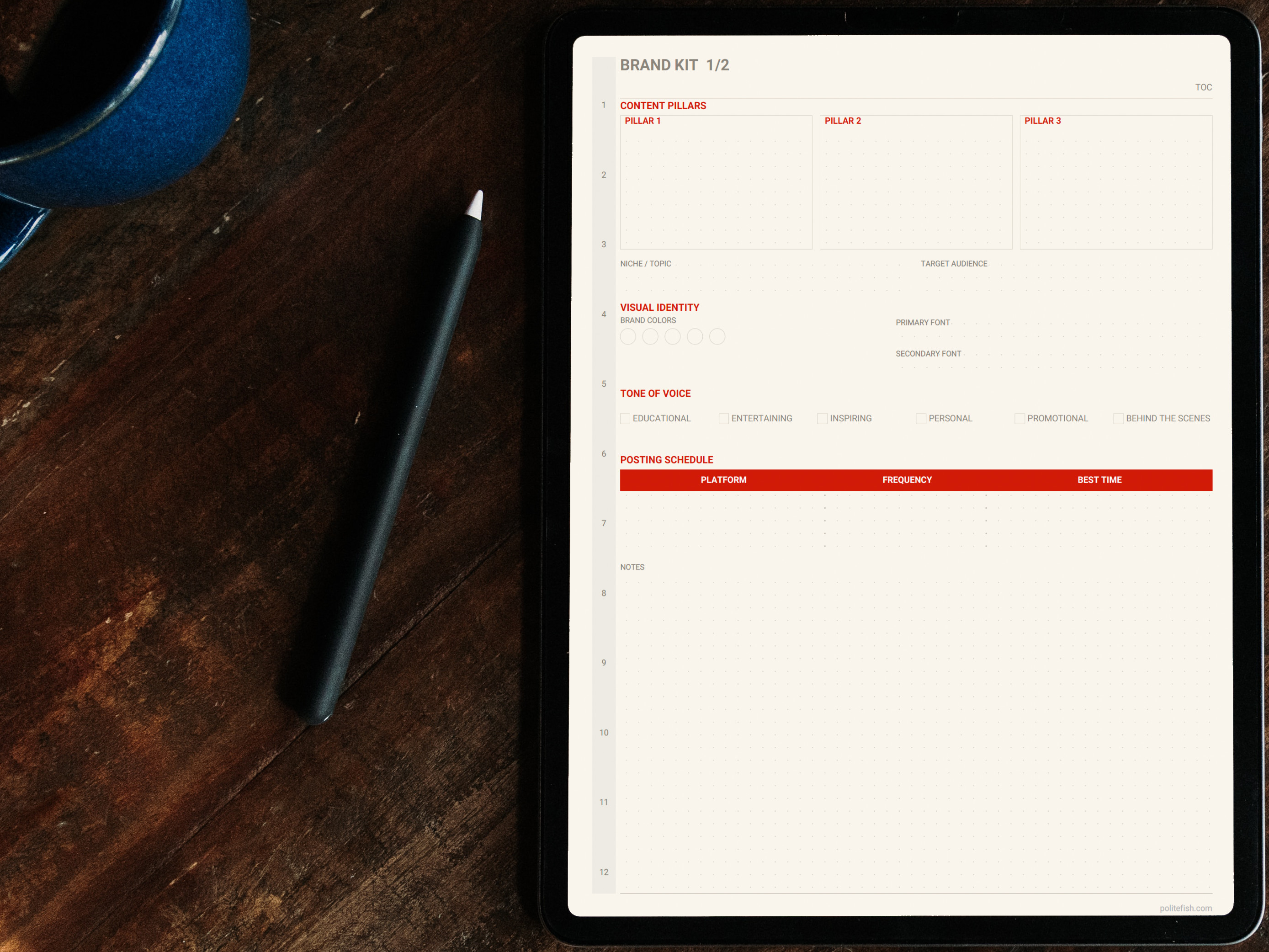
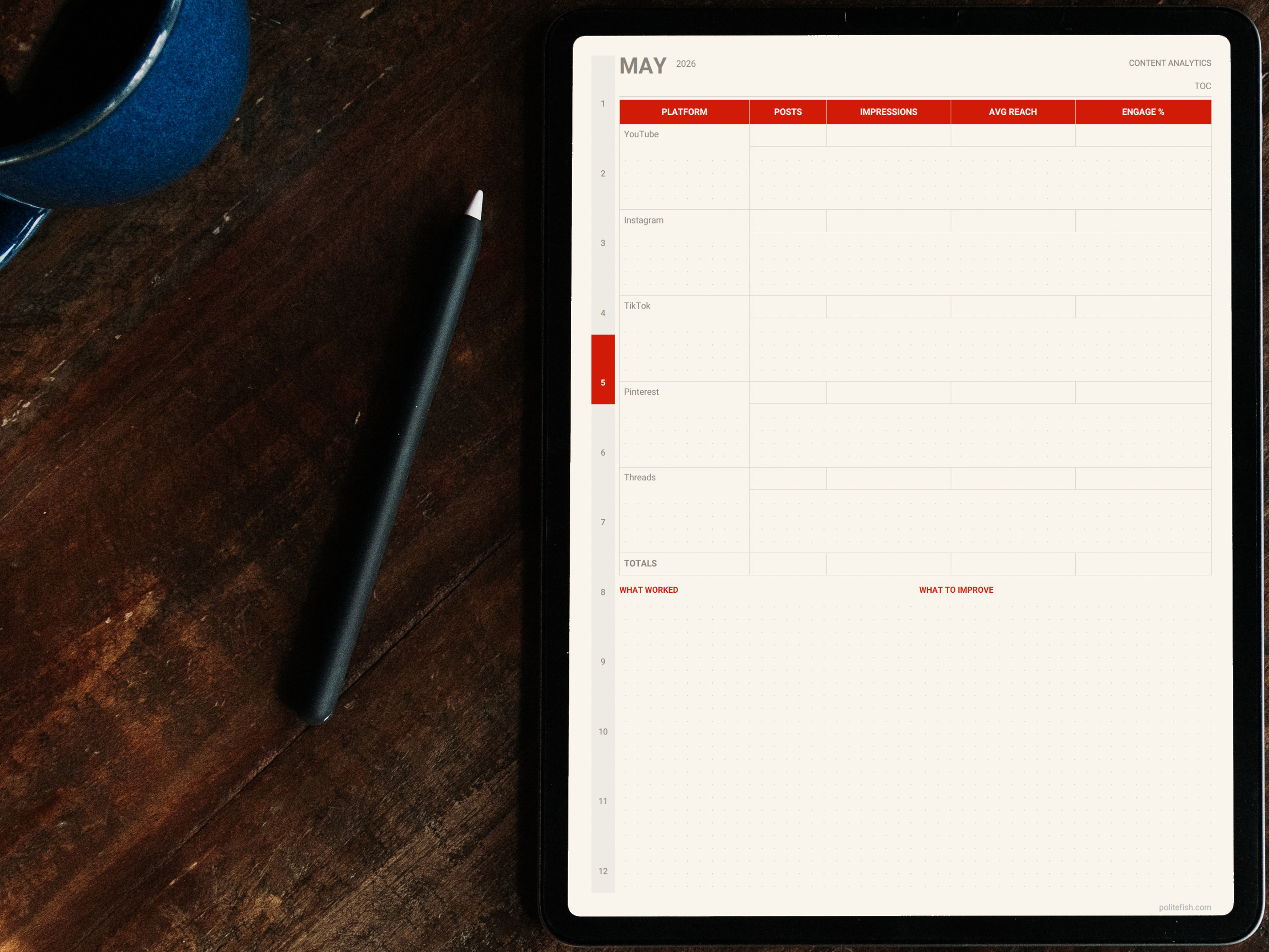
Clean layouts, intentional structure, and space for the creative work that actually matters.
Everything included
Every layer of the content creation process, covered.
All of these pages are available in the Content Creator preset in the Polite Fish Planner app. Mix them with pages from other presets in the Design Studio.
Yearly Overview
Map out campaigns, launches, and content milestones across the full year so nothing sneaks up on you.
Monthly Content Calendars × 12
Grid-based monthly calendar with space to assign content to each day per platform.
Weekly Post Planner
Post-by-post breakdown for the week: platform, caption draft, hashtags, status, and asset link.
Daily Pages with Content Focus
Your "Content Focus" block sits at the top of every daily page — keeping your content intention visible right where you plan your day.
Audience Growth Tracker
Monthly follower counts, engagement rates, and video stats per platform — in one clean log.
Habit Tracker
Film, edit, post, engage, batch — track the recurring actions that build your channel, with names you choose.
Year in Pixels
Color-code each day by content output, energy, or mood. A whole year of creative patterns in a single grid.
Notes Section
Dot-grid pages for content ideas, brand briefs, sponsorship notes, or anything that needs its own space.
Hyperlinked Navigation
Jump from your yearly content overview to any month or week in a single tap.
Your platforms. Your posting cadence. Your palette.
Choose portrait or landscape, pick your color (hex-precise), set your start date, and configure your habit names in the Design Studio. Preview updates in real time as you adjust each setting.
18 Color Palettes
Match your planner to your brand palette — or pick something entirely new that feels like fresh inspiration.
Your Platform & Habit Names
Set which platforms appear on your post planner and name your content habits the way you actually think about them.
Include Only What You Need
Not tracking growth metrics yet? Skip them. Only posting on two platforms? Build the planner around those two.
Hyperlinked Navigation
Navigate from yearly content plan to any weekly spread in one tap — no hunting, no scrolling.
Your planner in three steps
From download to writing in minutes.
Get the app
Download the Polite Fish Planner for iPad. Free to start — no account required.
Open the Studio & choose the Content Creator preset
Select the Content Creator preset as your starting point. Pick your color, set portrait or landscape, and configure your pages. Preview builds in seconds.
Generate and start writing
Your planner is ready in seconds. Write with Apple Pencil, add stickers, place maps, and build links between pages — no second app needed.