Stop Fighting Your Brain.
Start Working With It.
A daily planner engineered to support focus, not demand it.
Most planners were designed for neurotypical brains — rigid schedules, tiny boxes, zero flexibility. The Polite Fish ADHD Planner is different. Every page is structured to lower the activation energy of planning: your focus intention lives at the top of each daily page, your mood and energy are tracked where you'll actually see them, and nothing requires a separate app or journal.
Open the Design Studio, choose the ADHD preset, set your habit names and color, and your planner generates in seconds — portrait or landscape, built for your brain.
Designed around the ADHD brain
Every structural choice in this planner was made with executive function in mind.
Focus Box — Every Single Day
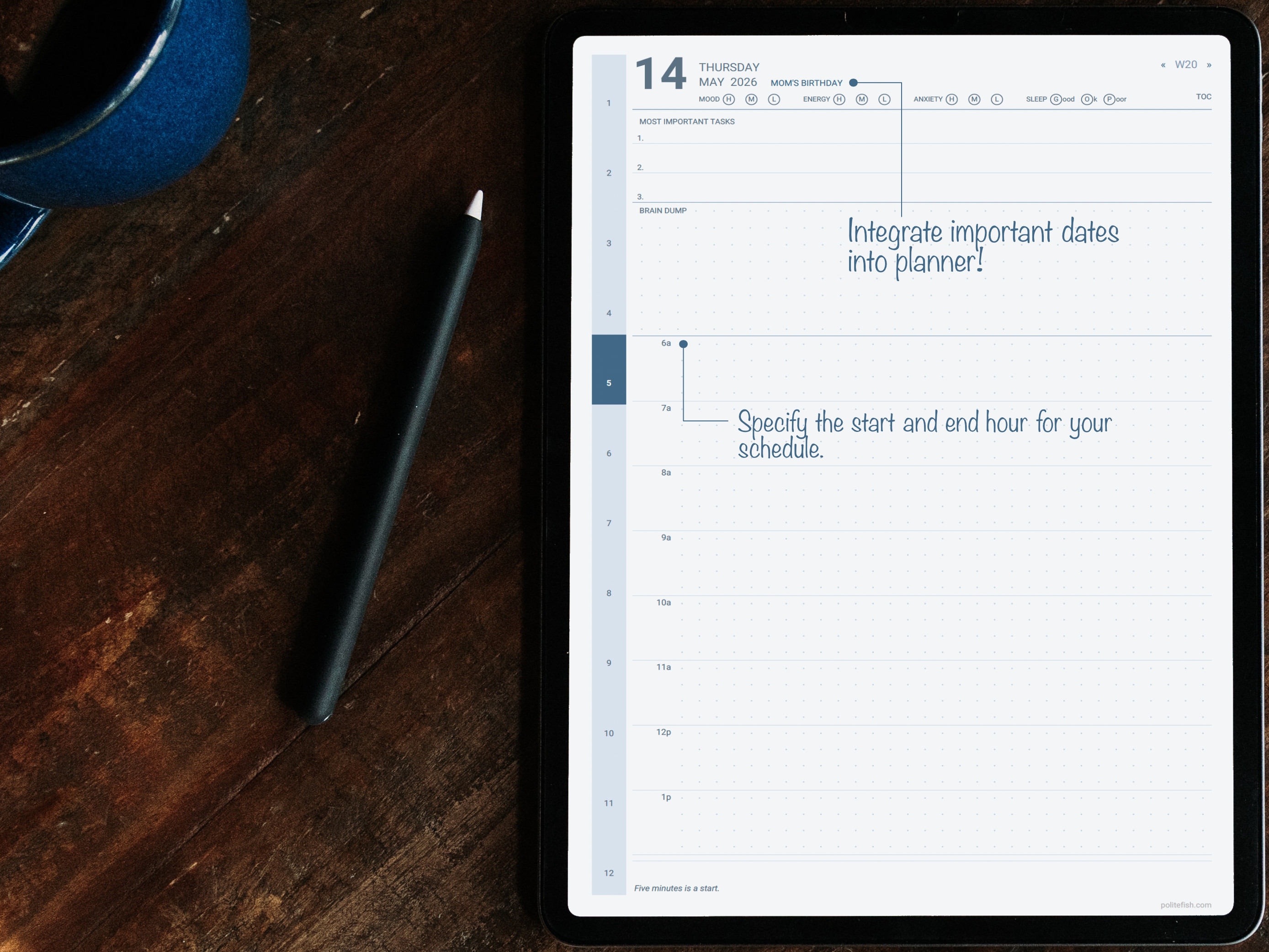
The most important thing you need to accomplish today lives at the top of the page, not buried somewhere you'll forget to check. One box. One priority. That's it.
Mood, Energy & Anxiety — Built In
Track your daily state directly on the daily page — no flipping to a separate section. Spot your patterns, understand your rhythms, and plan accordingly.
Habit Tracker With Your Names
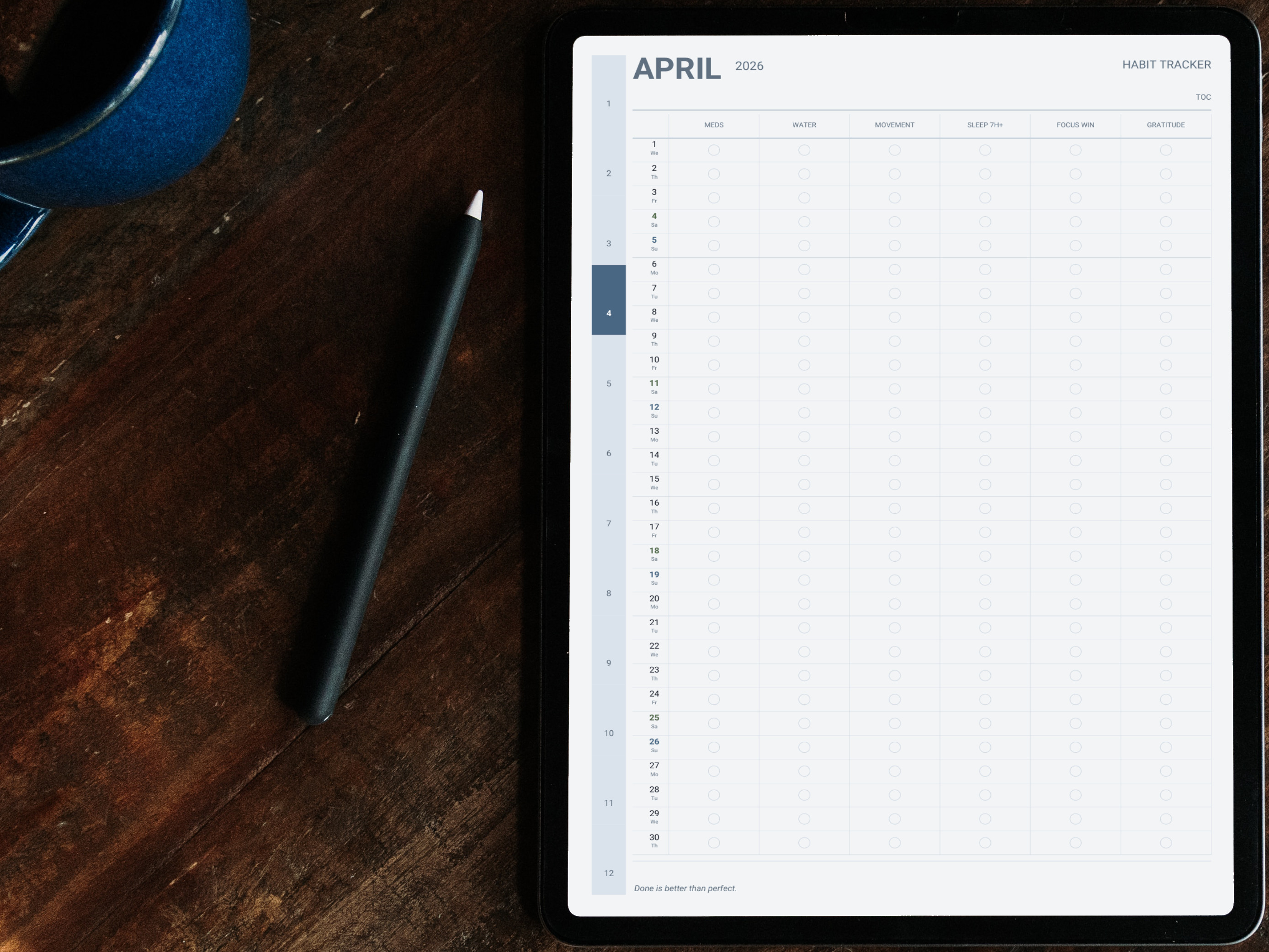
Replace generic defaults with the habits that actually matter to you. Meds, movement, hydration, shower, journaling — name them what you call them.
Year in Pixels — Mood at a Glance
A full year of daily mood data mapped into a single colorful grid. Patterns that are invisible day-to-day become unmistakably clear across a year.
Clean pages that do the heavy lifting
Intentional whitespace, dot-grid notes, and a layout that puts the right information exactly where you need it.
Everything included
Every page has a job. Nothing is filler.
All of these pages are available in the ADHD preset in the Polite Fish Planner app. Mix them with pages from other presets in the Design Studio.
Yearly Overview
See your full year at a glance — mark key dates, notice gaps, plan big-picture goals before the month view.
Monthly Spreads × 12
Each month opens with a calendar view and space for monthly priorities, so the context is always visible.
Weekly Spreads × 52
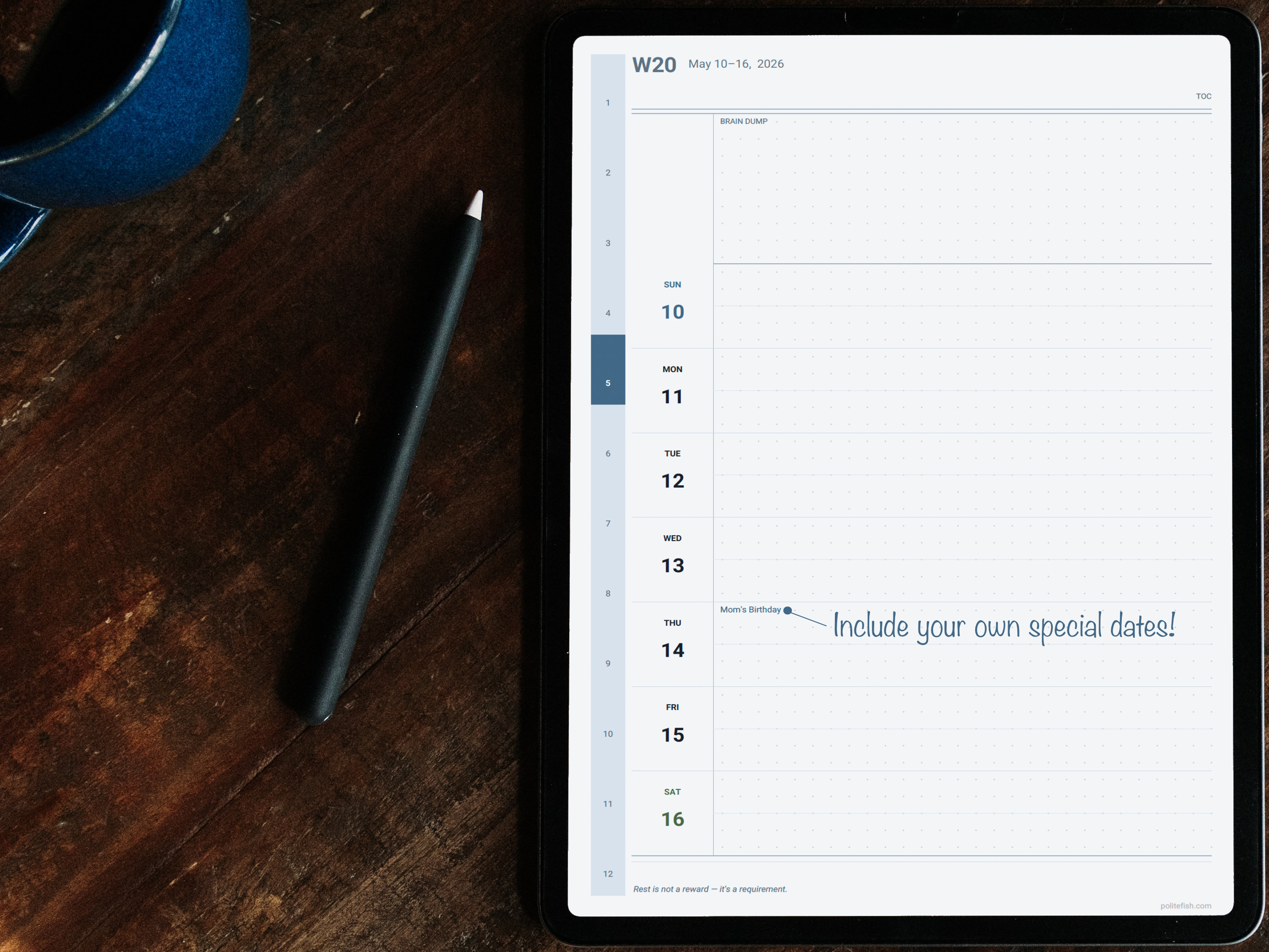
Structured weekly view with time blocks, task columns, and your focus question for the week.
Daily Pages
Focus box, time-blocked schedule, task list, mood/energy/anxiety check-in, and dot-grid notes — on a single page.
Habit Tracker
Monthly habit grid with your custom habit names. Up to 6 habits tracked with a simple daily dot.
Monthly Intention Pages
A blank-slate page before each month to set a theme, an intention, or a single word to guide the weeks ahead.
Year in Pixels
Color each day by your mood. The full grid reveals patterns — stress seasons, good stretches — that are invisible day-to-day.
Dot-Grid Notes Section
Dedicated notes pages at the back for brain dumps, lists, sketches, or anything that needs more space.
Hyperlinked Navigation
Tap any tab, date, or section link to jump instantly. Works across all pages in the app.
Every detail, yours to control.
Choose portrait or landscape, pick your color (hex-precise), set your start date, and configure your habit names in the Design Studio. Preview updates in real time as you adjust each setting.
18 Color Palettes
From soft sky and sage to bold indigo and plum — pick the palette that feels right for your brain.
Your Habit Names
Name your habits what you actually call them. Meds, shower, move, breathe — your language, not ours.
Include Only What Helps
Toggle page types on or off. If something doesn't serve you, it simply won't be in your planner.
Hyperlinked Navigation
Tap any tab or date to jump there instantly. Searching for your page is not a task you need on your plate.
Your planner in three steps
From download to writing in minutes.
Get the app
Download the Polite Fish Planner for iPad. Free to start — no account required.
Open the Studio & choose the ADHD preset
Select the ADHD preset as your starting point. Pick your color, set portrait or landscape, and configure your pages. Preview builds in seconds.
Generate and start writing
Your planner is ready in seconds. Write with Apple Pencil, add stickers, place maps, and build links between pages — no second app needed.